OPSWAT plăcerea să anunțe lansarea MetaDefender Drive .4.0. Această versiune oferă un control avansat asupra determinării încrederii dispozitivelor și integrează Predictive Alin AI, cu detectarea predictivă a amenințărilor bazată pe inteligență artificială, la toate nivelurile motorului, permițând o securitate îmbunătățită pentru dispozitivele tranzitorii în medii izolate.
Determinarea dispozitivelor nesigure pe baza politicilor
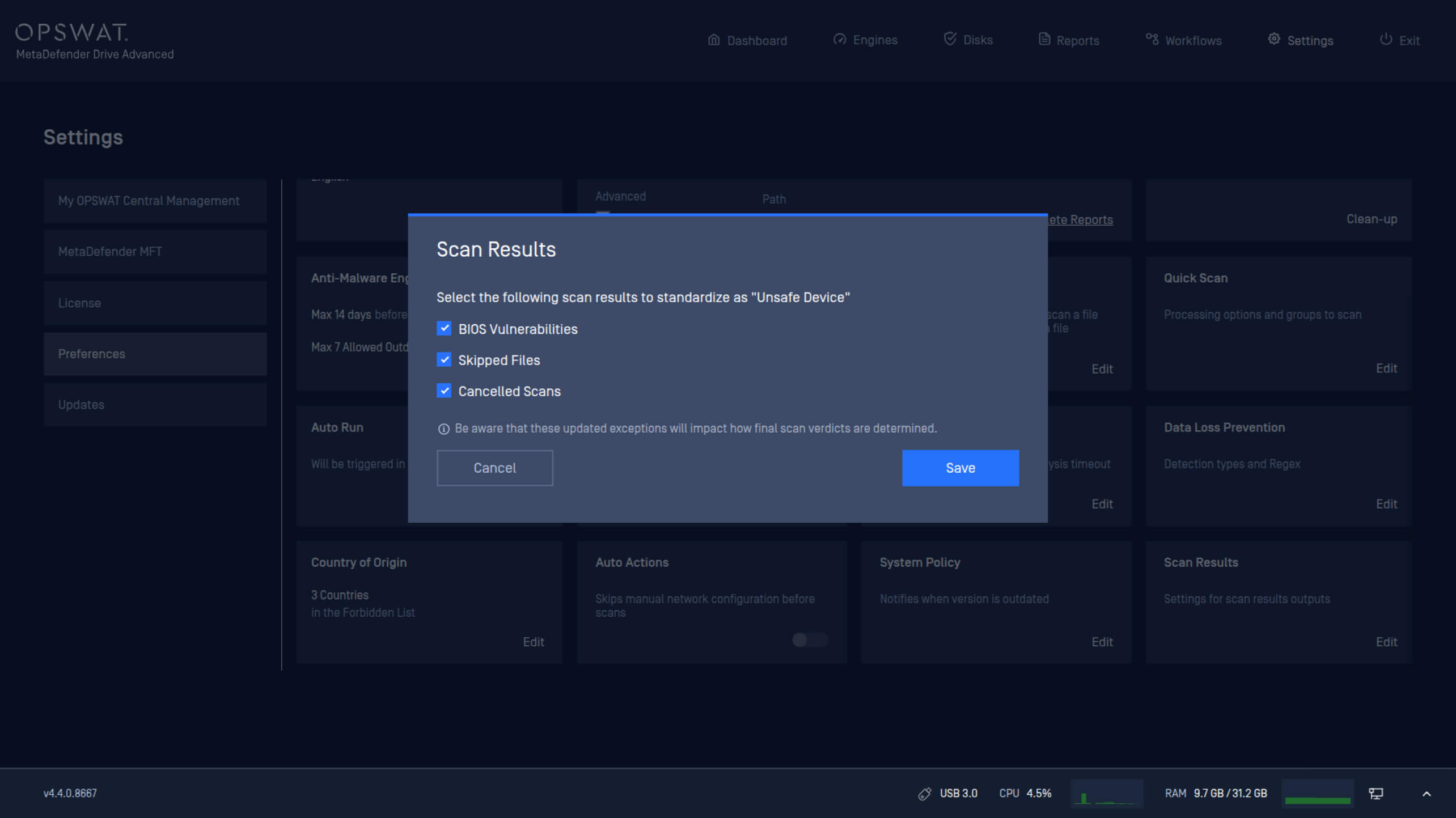
Reglementările privind infrastructura critică impun criterii variate pentru a determina dacă un dispozitiv este de încredere înainte de a se conecta la sisteme critice din zone izolate fizic. Această versiune introduce noi setări de politică care permit administratorilor să definească condițiile pentru clasificarea unui dispozitiv ca nesigur.
Drive MetaDefender Drive pot configura acum politici de siguranță a dispozitivelor pe baza:
- Starea BIOS-ului.
- Fișiere omise în timpul scanării.
- Scanări anulate.
Activarea AI predictiv Alin pe toate nivelurile motorului
Drive integreazăDrive Predictive Alin AI în toate nivelurile motorului. Acesta vine cu capacitatea de a prevedea rezultatele înainte de execuție, pentru o detectare mai profundă și mai precisă a amenințărilor. Această integrare ajută la detectarea fișierelor rău intenționate pe dispozitivele tranzitorii înainte ca acestea să fie conectate la sisteme critice.
Reactivarea licenței pentru a activa AI predictiv Alin
Pentru a activa Predictive Alin AI, este necesară reactivarea licenței.
Reactivare peMetaDefender Drive
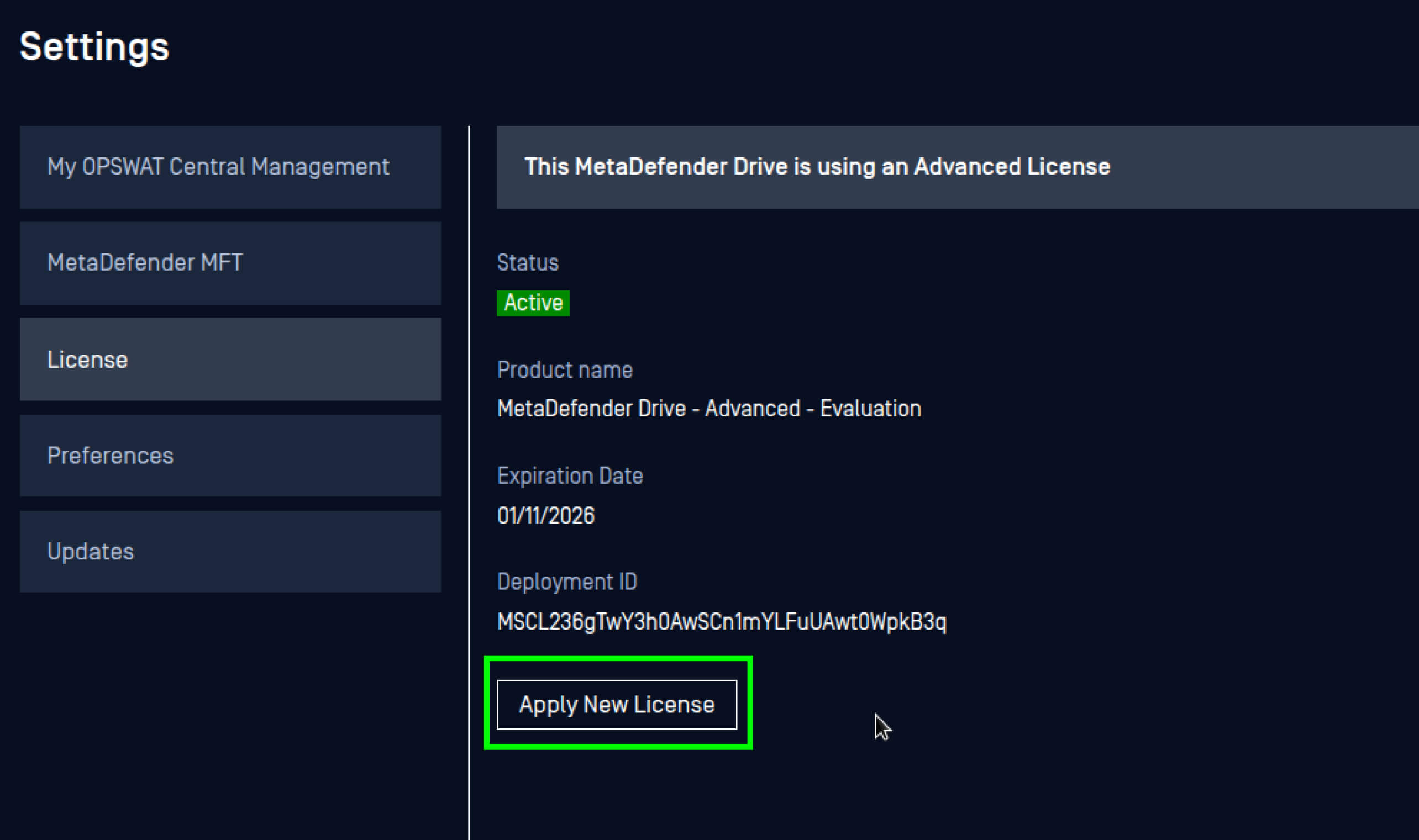
- Accesați Setări, apoi Preferințe și deschideți setările Licență.
- Faceți clic pe Aplicați licența nouă.
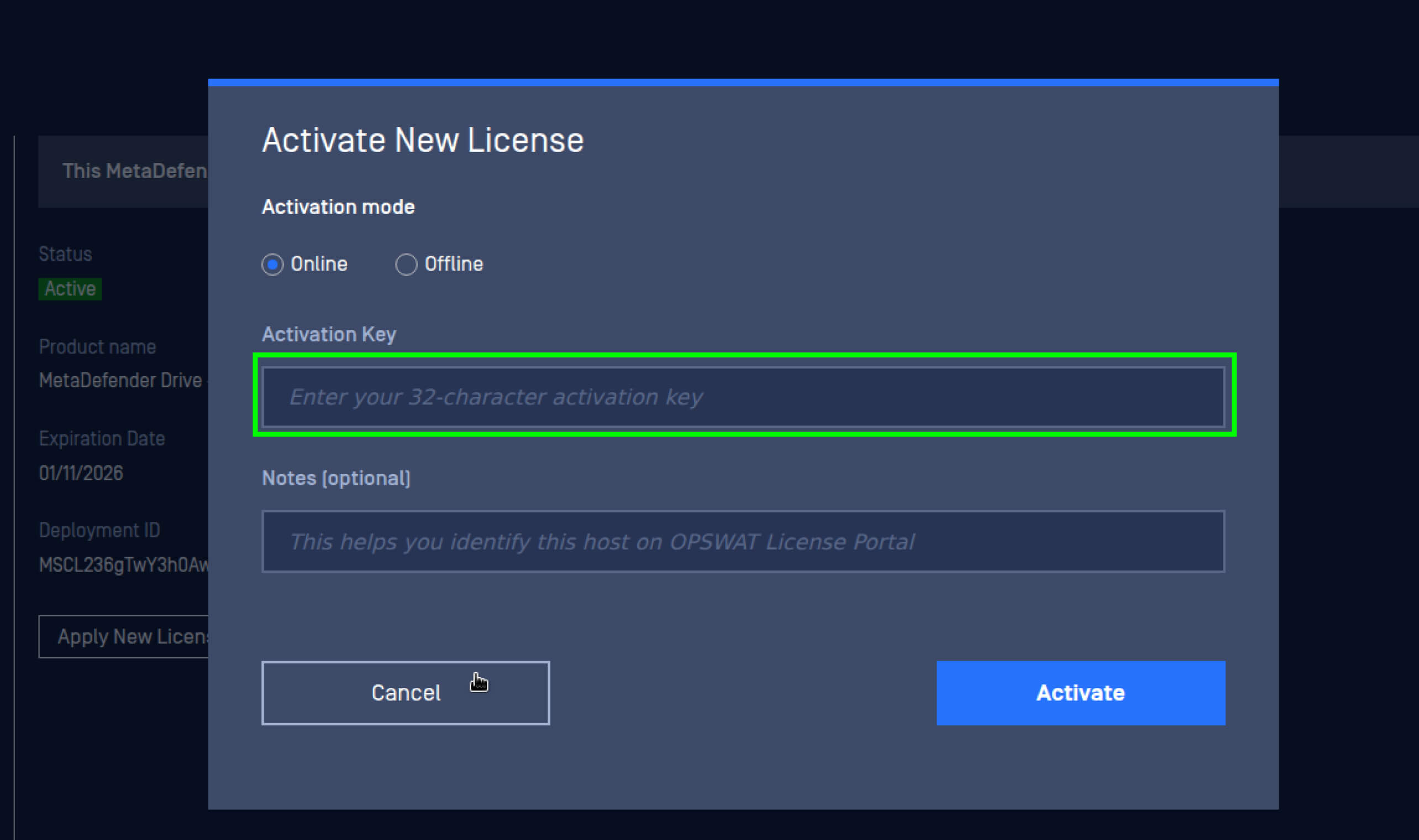
3. Introduceți noua cheie de licență, apoi faceți clic pe Activare.
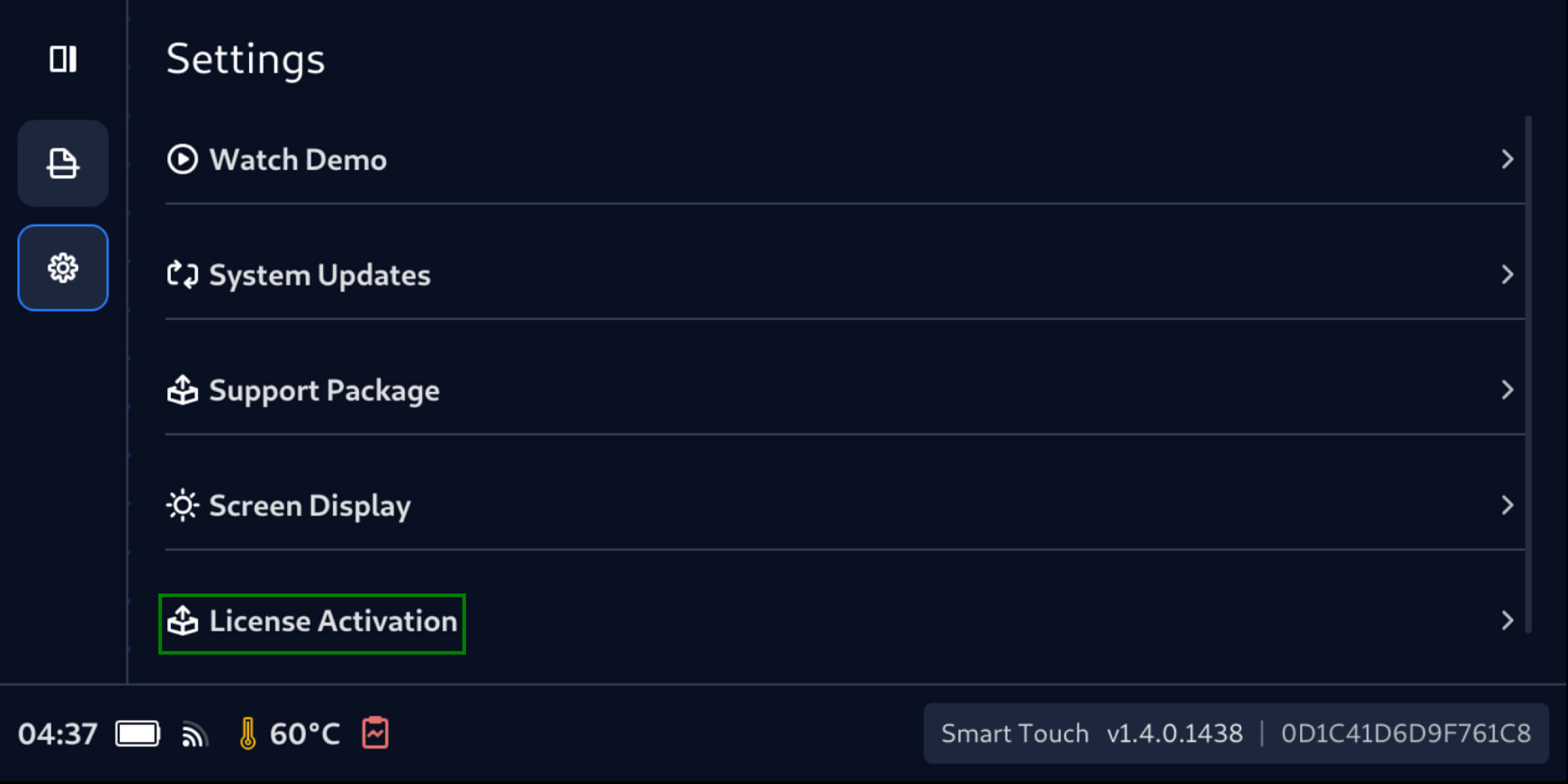
Reactivați peMetaDefender Drive Smart Touch
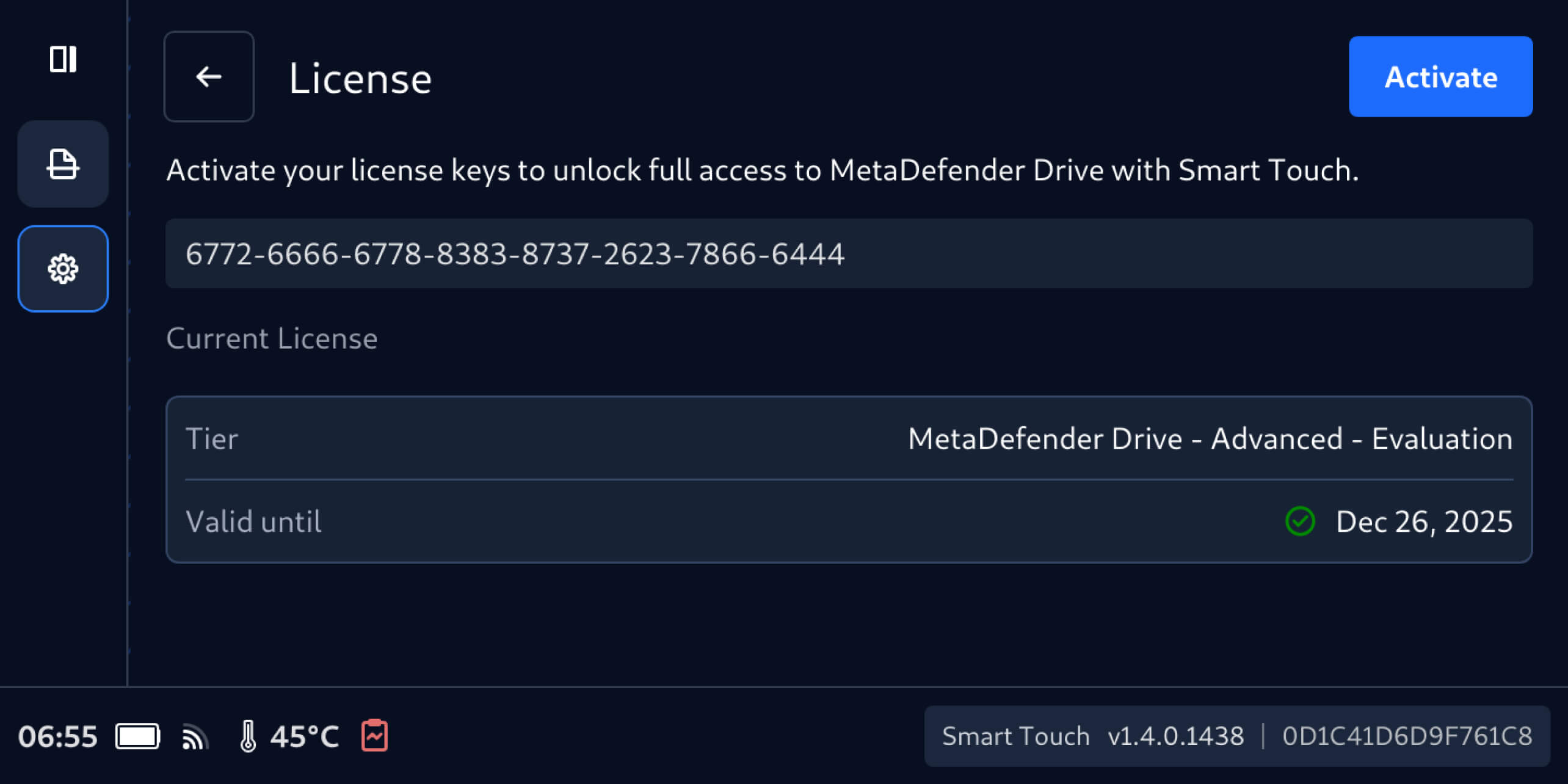
- Accesați Setări, apoi Activare licență.
2. În ecranul Licență, introduceți noua cheie de licență, apoi apăsați Activare.
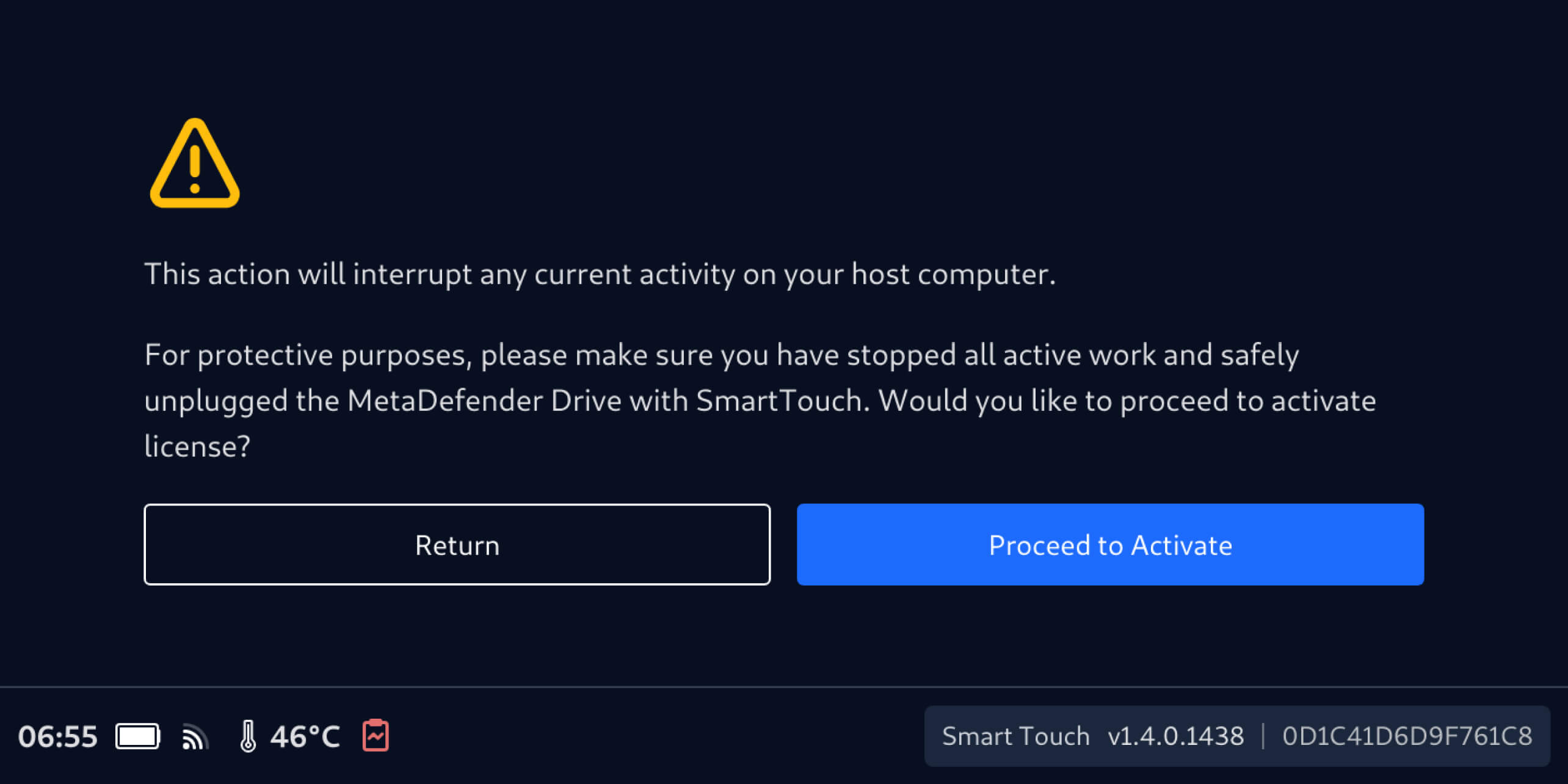
3. Asigurați-vă că MetaDefender Drive Smart Touch nu execută nicio operațiune de scanare pe dispozitivul gazdă, apoi selectați Continuare pentru activare.
Reactivați prin intermediulMetaDefender Drive
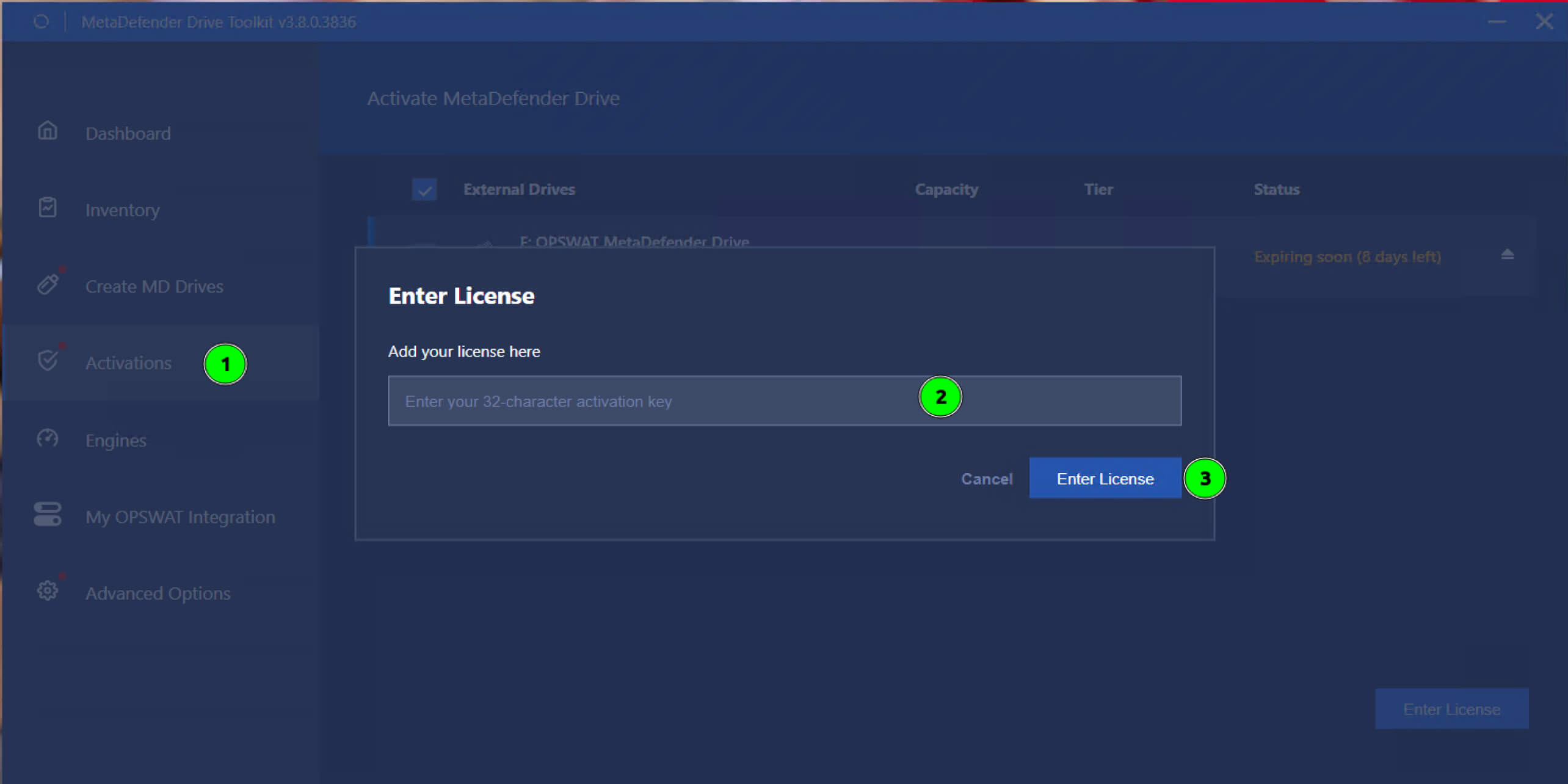
- Deschideți ecranul Activări.
- Selectați unitatea MetaDefender Drive trebuie reactivat.
- Introduceți noua licență șifaceți clic pe „Introduceți licența”.
Detalii de lansare:
- Produs: MetaDefender Drive
- Data lansării: 16 decembrie 2025
- Note de lansare: Aflați mai multe aici
Pentru a actualiza MetaDefender Drive, descărcați cea mai recentă versiune a MetaDefender Drive Toolkit și urmați instrucțiunile de instalare.

